Five tests, October 2026
Can AI models check a video before it goes to a client?
I gave Claude Opus 5.5 and Gemini short clips that each had one known problem, and asked the question an editor would ask before delivery. There were five tests:
- Garbled text on a product label
- A third hand that no one in the shot could own
- A camera push-in that could be mistaken for a zoom
- A cut where the person suddenly runs the other way
- An object that changes while it's out of view
Gemini was tested two ways: uploaded to Google AI Studio in the browser (how most people would try it), and as an agent with a terminal and ffmpeg. Claude can't take video files, so it ran as an agent only.
The short answer
- How the video reaches the model matters more than which model it is. Gemini 4 Argon in AI Studio called a clip with garbled label text "ready for client delivery." The whole 2-second clip went in as 201 tokens, about two small frames. The same model, run as an agent that pulled full-resolution frames, found the problem.
- As agents, both models caught visible things. That included small garbled text and a large object that vanished. Both failed anything that depends on reading motion: which way a person is moving when the camera moves with them, and whether a shot is a push-in or a zoom.
- Gemini invents more. It reported a six-fingered hand in three separate runs; in the two I could check, the hand has five. Opus reported a problem that wasn't there only once, in the hand test, though it also got some facts wrong, such as which way a man was walking.
- Checking with an agent costs about $0.14–1.71 and 41 seconds to 8 minutes per short clip. The free text reader built into macOS flagged the label problem in about 6 seconds at no cost. But it could only do that because I told it what the text should say and where it was.
At a glance
| Test | Gemini in AI Studio (default upload) | Gemini 4 Argon, agent | Claude Opus 5.5, agent |
|---|---|---|---|
| 1. Garbled label text | Missed with both models tried; one called it "ready for client delivery" | Caught, but put an invented sixth finger first | Caught, 3 runs out of 3, nothing invented |
| 2. Impossible third hand | Not run | Partial, for the wrong reason, plus several invented hand problems | Partial: knew there was one hand too many, blamed the wrong one |
| 3. Push-in or zoom | Not run | Camera path right; never decided zoom or push-in | Camera path right; said "can't tell," with a false reason |
| 4. Cut that flips direction | Not run | Missed | Missed |
| 5. Object changes while hidden | Not run | Caught, plus one invented problem | Caught, plus a second real error |
How the tests were run
- Agents: Cursor's agent on a Mac with ffmpeg installed. Each run was a fresh chat with the file path and a one-line question. The agents weren't told how to look at the video; choosing how many frames to pull, at what size, and whether to zoom in was part of what was tested. Models: Claude Opus 5.5 (High and Medium effort) and Gemini 4 Argon (Medium).
- AI Studio: the video uploaded in the browser with default media settings, thinking level Medium. Models: Gemini 3.8 Flash and Gemini 4 Argon.
- Prompts: the plain question an editor would type, never a checklist. For the client-delivery tests: "I'm delivering this AI-generated clip to a client. Is anything wrong with it? If so, what, when and where?" Tests 3 and 4 used editing questions, given in each section.
- Answer keys: written before scoring and checked by measurement where possible: text recognition on every frame, optical flow, and frame-by-frame viewing.
- Scoring: a hit means the right problem, the right object, and a time within about half a second. A partial means the right problem with the wrong reason, place or time. A false alarm is a reported problem that isn't there.
- Time is wall-clock time from sending the question to the final answer. Tokens are the totals from the usage log. Cost is estimated from published prices; see Time and cost.
Test 1: Garbled label text
Clip: a Seedance-generated product shot I made. A hand holds a "GLOWCO SERUM" bottle. 2.07 seconds, 62 frames, 1080×1450, 30 fps.
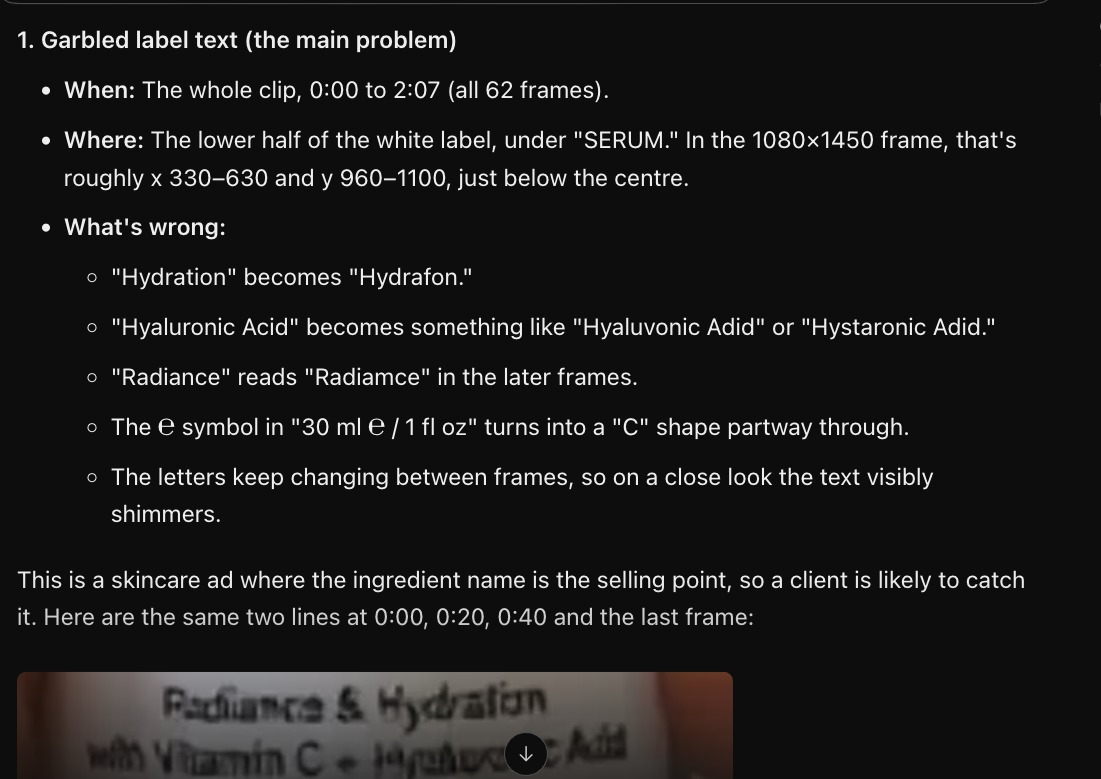
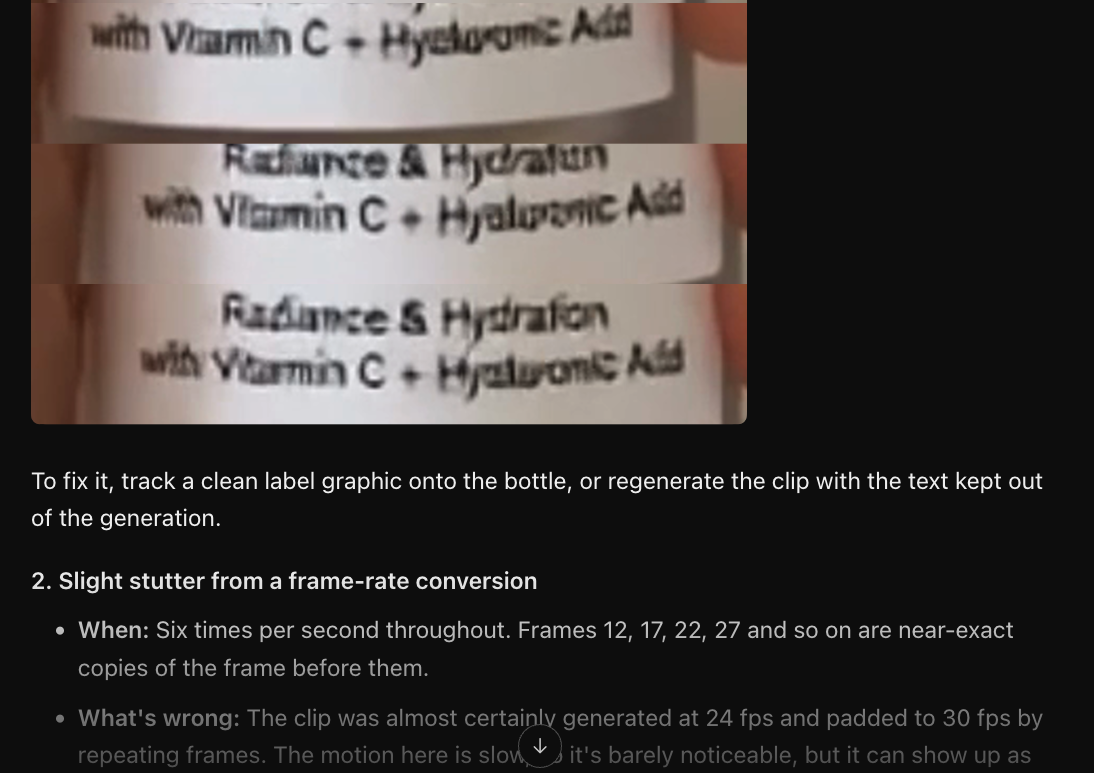
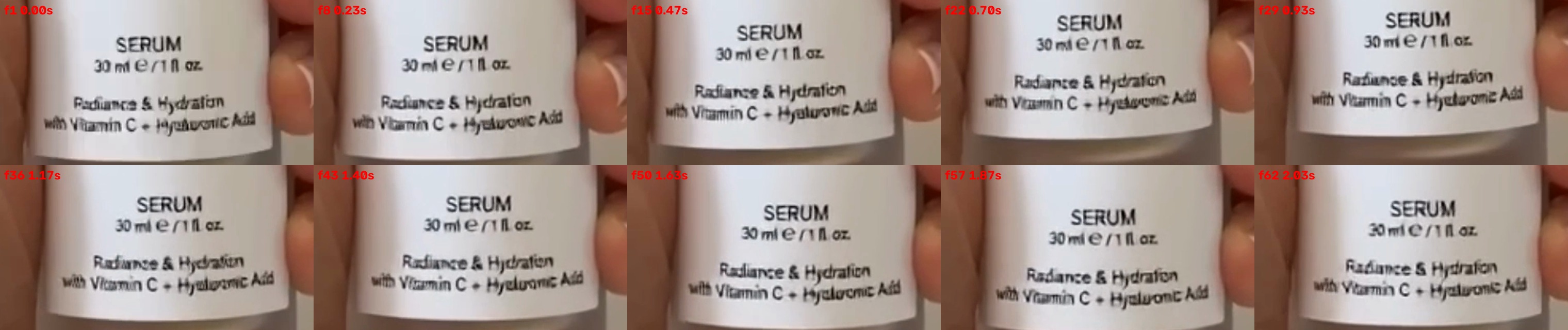
What's wrong (answer key): the small print is garbled and changes from frame to frame. "Hyaluronic Acid" is never readable, the "R" in "Radiance" is deformed, and the "t" in "Hydration" looks like an accent mark. It's worst in the first second. The hand is fine: five digits.
Text recognition on every frame (no AI model): I cropped the label from all 62 frames and ran Apple's built-in text recognition (the engine behind Live Text) with autocorrect turned off, so it couldn't "fix" misspellings.
| Text on the label | Frames read correctly |
|---|---|
| "SERUM" (large, control) | 62 of 62 |
| "Vitamin" (same line and size as "Hyaluronic", control) | 27 of 62 |
| "Radiance & Hydration" | 17 of 62 |
| "Hyaluronic" | 0 of 62 |
| "Acid" | 0 of 62 |
The controls matter. The reader handles text this small, since "Vitamin" sits on the same line at the same size, so the 0 of 62 points at the label, not the reader. Typical readings were "jafuhocric Add", "Hyeluowc Aid" and "Hyaluonc Ald". It took about 6 seconds for all 62 frames and used no AI tokens.
Results:
| Setup | Found the label problem? | Invented problems | Time | Tokens | Est. cost |
|---|---|---|---|---|---|
| Gemini 3.8 Flash, AI Studio, first try (shorter prompt, see appendix A1) | No | "Hallucinated brand name GLOWCO" (it's the intended name); a voiceover the clip doesn't have; an "impossible" grip | Not recorded | 4,889 | $0.004–0.02 |
| Gemini 3.8 Flash, AI Studio | No. Its reasoning says "the text on the bottle is perfectly clear" | Six digits | 20.5 s | Not recorded | Under $0.02 |
| Gemini 4 Argon, AI Studio | No: "crisp, stable, and legible throughout… ready for client delivery!" | None | 7.6 s | 398 (201 for the video) | About $0.002 |
| Claude Opus 5.5 High, agent, first run* | Yes | None | 1 min 51 s | 331.6K | $0.39–1.49 |
| Claude Opus 5.5 High, agent, clean rerun | Yes | None | 1 min 27 s | 288.4K | $0.36–1.31 |
| Claude Opus 5.5 Medium, agent | Yes | None | 1 min 21 s | 386.6K | $0.42–1.71 |
| Gemini 4 Argon Medium, agent | Yes | Six digits, ranked as its top "critical" issue; a fingertip "merging" into the pump | 7 min 37 s | 489.2K | $0.24–1.06 |
* The first Opus run started in my working folder, where it could see a filename containing "failure", though it never opened the file. I reran it from a folder with only the clip, and it caught the problem again.
What stood out:
- AI Studio gave the model very little to look at. The whole clip went in as 201 tokens. By Google's published rates (about 66 tokens per low-resolution frame, 32 per second of audio), that's roughly two small frames plus the audio track. That's my inference from the token count. Gemini 4 Argon also described the 2-second clip as "the entire 1-second clip."
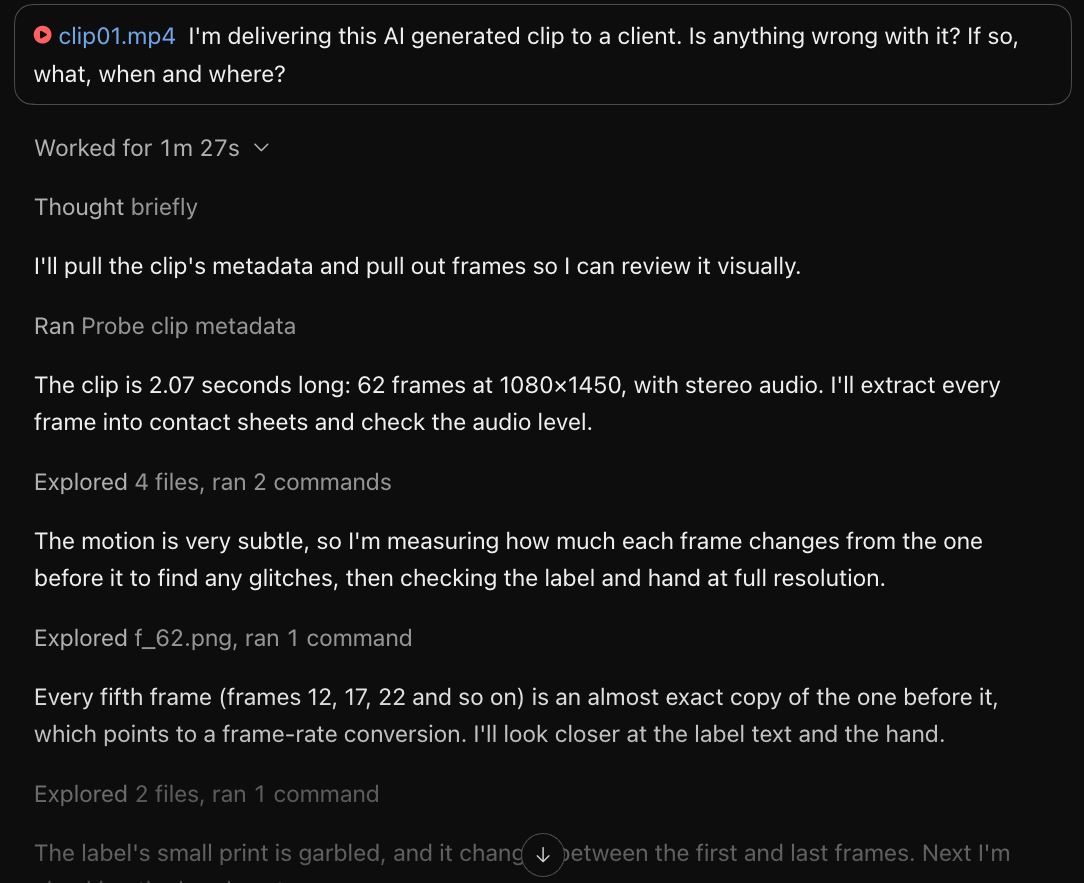
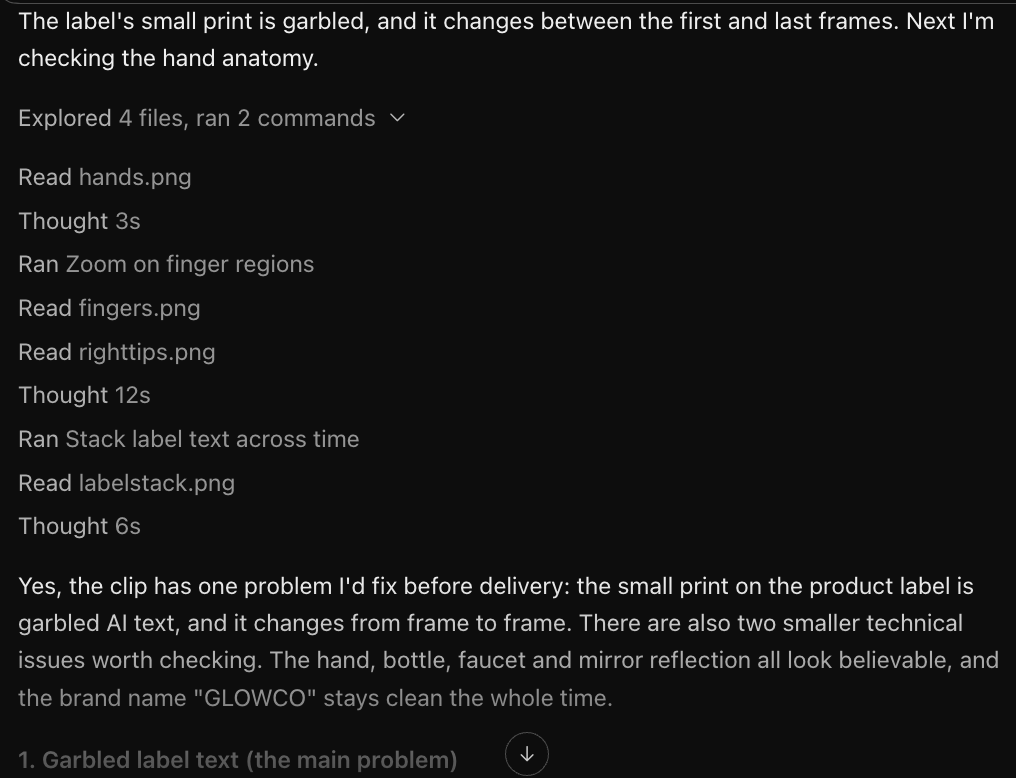
- The agents chose to look closely. Opus pulled all 62 frames, cut full-resolution crops of the label and stacked them over time. It read the same misspellings the text reader did ("Hydrafon", "Hyaluronic Adid").
- Both agents found file problems no one asked about. Every fifth frame is a near-copy of the one before (frames 12, 17, 22 … 62), which means the clip was made at 24 fps and padded to 30. I confirmed this by measuring the change between frames. Opus got the frames right; Gemini was off by one. Both noted that the audio track is silent (peak −63.9 dB) and that 1080×1450 isn't a standard delivery size.
- Where and when: both agents put the problem on the right lines of the label. Neither singled out the first second as the worst. Opus High wrote the time as "0:00 to 2:07", which reads as two minutes for a 2.07-second clip. Opus Medium wrote it correctly.
- The mirror: two Gemini runs said the hand and bottle are missing from the mirror's reflection, and Opus called it "can't confirm." That isn't in the answer key, so it isn't scored.
Raw AI Studio outputs and screenshots of the Opus run are in the appendix.
Test 2: An impossible third hand
Clip: an AI-generated clip of someone rubbing cream into the back of a hand. 720×1280, 24 fps, about 2.6 seconds.
What's wrong (answer key): the person's left hand holds the cream and their right hand is at the bottom of the frame. The hand that comes in from the right at about 0.3 s, and stays to the end, can't belong to anyone, because no arm is left to supply it. The other two hands are correct.
| Setup | The impossible hand | Invented problems | Time | Tokens | Est. cost |
|---|---|---|---|---|---|
| Claude Opus 5.5 Medium, agent | Partial. It said the hand from the right and the cream hand "read as two different people," but treated it as a skin-tone mismatch and listed it last | Called the person's real right hand the extra one. Its suggested fix, cropping the bottom of the frame, would remove the real hand and keep the impossible one | 1 min 5 s | 154.4K | $0.28–0.78 |
| Gemini 4 Argon Medium, agent | Partial at best. It flagged the hand from the right for six fingers and a "toe-like" thumb, not for being a third hand | "6–7 finger segments" on the correct cream hand; the real right hand called a "stray detached finger-like shape" | 1 min 55 s | 185K | $0.15–0.45 |
- Opus counted three hands, then blamed the wrong one. Working out which hand is impossible means tracing each hand back to an arm and a body. That's where it went wrong.
- Gemini never counted hands. It looked for defects inside each hand and found ones that aren't there.
- A file problem came up too. The file held 33 extra frames before the visible start, hidden by an edit list left over from a trim. Opus worked this out and described what was in them. Gemini noticed the frame count didn't match but gave the wrong explanation.
- Unverified: Gemini said the cream vanishes at 0.42–0.58 s and again near 1.04 s. I haven't checked this.
Test 3: Push-in or zoom?
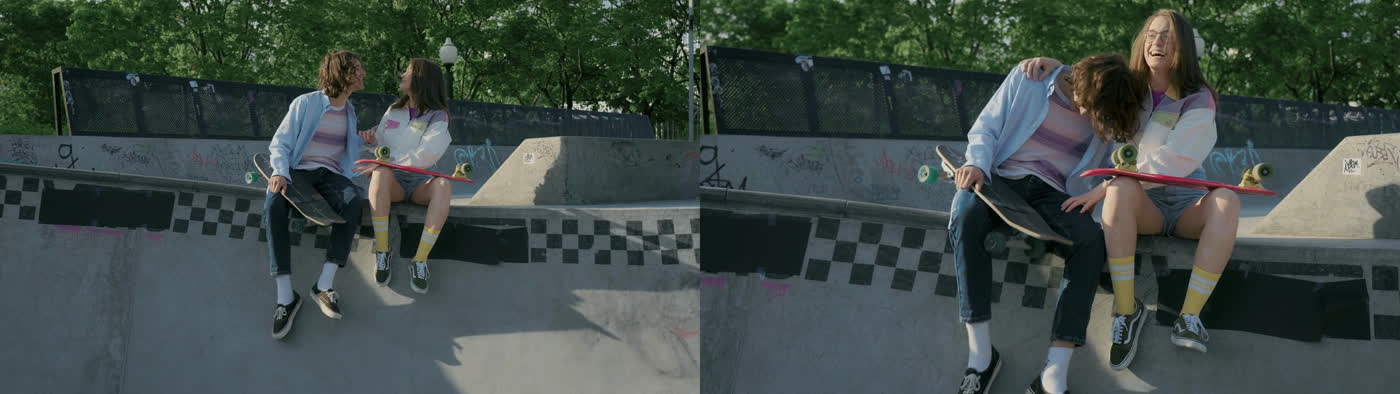
Clip: real footage from Pexels of two skaters sitting on a ramp. 11.84 seconds, 25 fps, 1080×608, one continuous shot.
Prompt: "I'm editing this clip. What does the camera do, and when?"
What happens (answer key, measured with optical flow):
- The camera pushes in from the first frame, is tightest at 5.8 s, reverses between about 5.5 and 6.2 s, then pulls out until the last frame. It ends about 2% wider than it started.
- It turns left and up toward the couple during the push (about 2.8–5.2 s), down during the pull-out, and right again from about 8.8 s.
- It's a physical move, not a zoom. The ramp wall near the camera grows 56% while the trees far behind grow only 6%. A lamp post that's clear of the girl's head in the first frame is hidden behind it at 5.8 s. A zoom enlarges everything equally and can't change what's in front of what.
| Claude Opus 5.5 Medium | Gemini 4 Argon Medium | |
|---|---|---|
| Push in, turn around, pull out | Correct | Correct |
| Time of tightest point | About 5.8 s (correct) | 5.76 s (correct) |
| Pans and tilts | Wrong times | Correct |
| Zoom or push-in | "Can't tell," backed by a false claim of "no clear parallax" | Never chose ("push-in / zoom-in") |
| Time | 1 min 17 s | 4 min 49 s |
| Tokens | 209.2K | 135.7K |
| Est. cost | $0.32–1.00 | $0.14–0.35 |
- Both followed the camera well. The path and turnaround were right to within a fraction of a second.
- Neither could say whether it was a zoom or a push-in. Opus used the right tool (optical flow) but measured the whole frame as one number, which hides the near-versus-far difference that answers the question. This matches the ACaM benchmark, which reports that models confuse optical zoom with physical camera moves.
- "How much did it push in" has no single answer. Opus said 17% and Gemini 37%. Measured, it's anywhere from 6% to 56% depending on which part of the frame you look at.
Test 4: A cut that flips direction
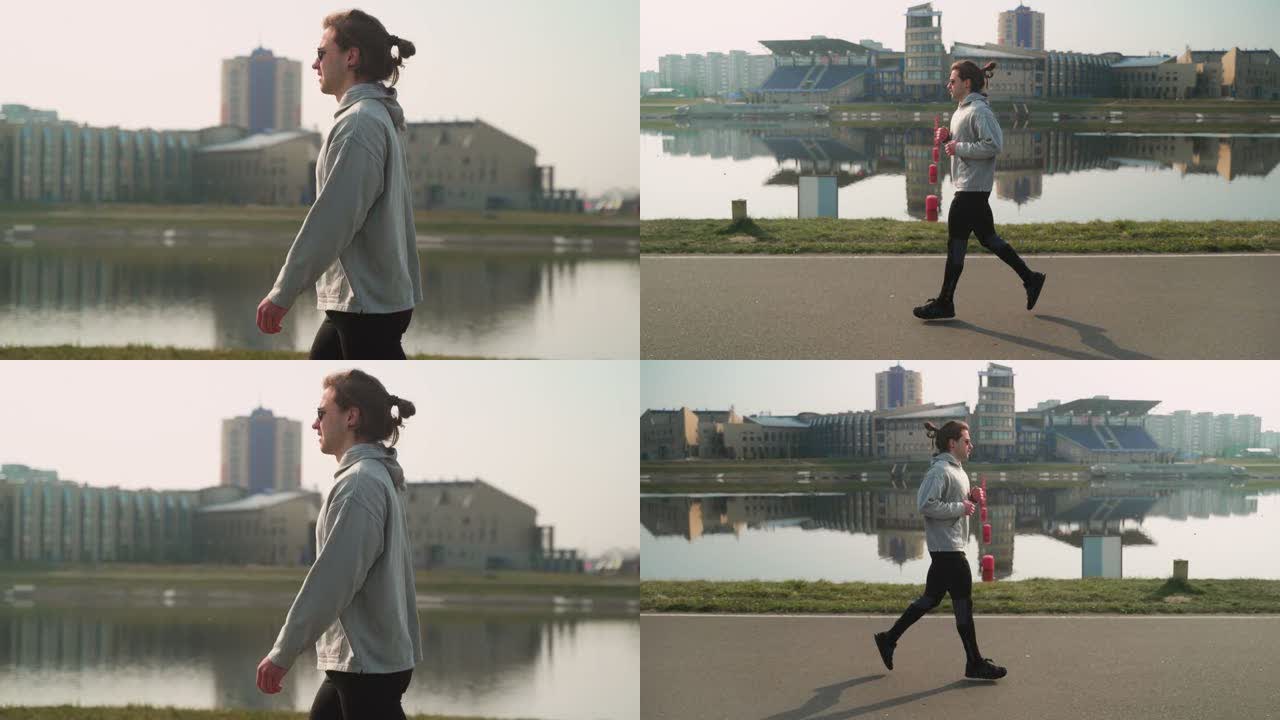
Clips: two Pexels shots cut together at 2.00 s: a man walking (4065472), then the same man jogging (4065467). 4 seconds, 29.97 fps, 1080×608. I made two versions:
- Clip A, the cut works: he walks left, then jogs left.
- Clip B, broken: the second shot is mirrored, so he walks left, then jogs right. On screen, he seems to turn around at the cut.
Prompt: "I'm editing this. Does the cut work?"
| Run | Clip | Verdict | Directions it gave | Score | Time | Tokens | Est. cost |
|---|---|---|---|---|---|---|---|
| Claude Opus 5.5 Medium | B (broken) | "Yes, the cut works" | Left to right in both shots | Miss | 41 s | 109K or 162K* | $0.26–0.81 |
| Claude Opus 5.5 Medium | A (works) | "Yes, the cut works" | Left to right in both shots | Right verdict, wrong directions | 42 s | 109K or 162K* | $0.26–0.81 |
| Gemini 4 Argon Medium | B (broken) | "Mostly works" | Left to right in both shots | Miss | 1 min 10 s | 144.5K† | $0.14–0.37 |
| Gemini 4 Argon Medium | A (works) | "Not quite," for other reasons | Left to right in both shots | Said the directions match (true), but both are wrong | 3 min 40 s | 296.8K† | $0.18–0.67 |
* The usage log doesn't show which of the two Opus runs used which count, so both rows show the range covering either.
† Matched to the run by duration.
- Both models passed the broken cut. Both praised the matching screen direction, which was the one thing that was broken.
- They got the man's direction right in only 2 of 8 shots. Both correct answers were the mirrored jog in clip B, which happens to move left to right. Every run said he walks left to right in the first shot, when he faces and walks left. Which way he faces is visible in any single frame.
- The likely cause is mistaking camera movement for his movement. In the first shot the camera moves with him, so he stays in about the same place while the pole and background slide right. The models probably read that slide as his direction. This is my explanation, not something I measured.
- Their other notes were fair editing comments, such as going straight from a walk into a jog and colour differences between the shots. They aren't what this test measures.
Test 5: An object that changes while it's out of view
Clip: an AI-generated shot of a woman carrying a hard case past the camera. 9.16 seconds, 60 fps, 858×648.
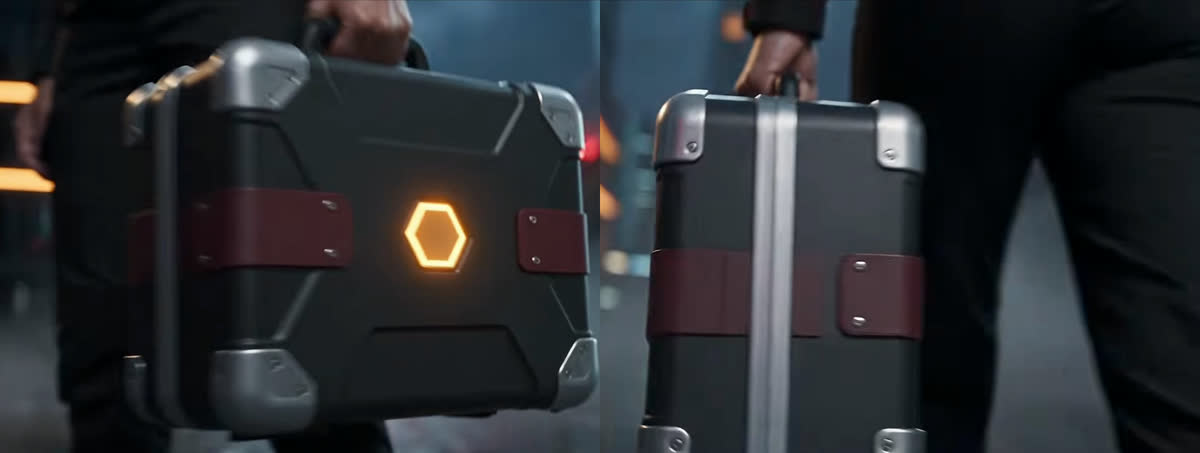
What's wrong (answer key): the glowing hexagon on the side of the case is visible until about 2.5 s. When the same side comes back into view (about 3.3 s), the hexagon is gone. The case also changes shape: thin at 1.0 s, and much thicker, with a metal rail down the middle, at 5.5 s.
| Claude Opus 5.5 Medium | Gemini 4 Argon Medium | |
|---|---|---|
| Hexagon disappears | Hit: present until 2.5 s, gone from 3.75 s | Hit: present until 2.5 s, gone from 4.0 s |
| Case changes shape | Reported, and it holds up | Partly: called a seam "misaligned" |
| False alarms | None | "Melted" hands; at the times it gave, the hands look normal or aren't in frame |
| Can't be checked | None | Strap rivets (3 or 2), jacket panels, "she turns around while hidden" |
| Time | 56 s | 6 min 13 s |
| Tokens | 215.5K | 574K |
| Est. cost | $0.32–1.02 | $0.26–1.23 |
- Large changes to a large object get caught, even though Opus sampled only 2–4 frames per second here.
- The difference is in what else they report. Opus reported two problems and both are real. Gemini reported four, with at least one invented. For someone reviewing a batch, invented problems cost time just as missed ones do.
- One caveat: the filename was
characterdrift_example3.mov, and both agents saw it. That's a hint toward the right kind of problem, so treat this catch as weaker than the others.
What they can and can't do
What the agents did well, when they pulled frames themselves:
- Read small, garbled text, but only from full-resolution crops. Opus chose to make those crops without being asked.
- Notice a large object that disappears or changes.
- Follow a camera's path and its timing.
- Find file problems: duplicated frames from a frame-rate conversion, a silent audio track, a non-standard size, and frames hidden by an edit list.
What they couldn't do in these runs:
- See small text at all through the default AI Studio upload, which reduced a 2-second clip to about two small frames.
- Tell which way a person is moving when the camera moves with them. Because of that, both passed a cut where the person turns around.
- Tell a push-in from a zoom.
- Work out which of three hands is the impossible one.
- Avoid inventing anatomy problems. Gemini reported a six-fingered hand three times; in the two runs I could check, the hand has five.
- Write timecodes reliably. One run wrote "2:07" for 2.07 seconds; another gave frame numbers as if they were times.
How the agents went about it
- They looked harder than I expected. Without being told, Opus probed the file first, then made contact sheets at 2–4 frames per second or pulled every frame, cut full-resolution crops of details, measured the change between frames, and ran optical flow on the camera test. Gemini did similar things, but took 1–8 minutes per clip against Opus's 41 seconds to 2 minutes.
- Effort level didn't change much. Opus Medium found the same label problem as Opus High, with a similar time and token count, and Medium wrote its timecodes correctly.
- Agents look around, so isolate them. One run (Grok 4.6, which Cursor had switched to after a usage-limit error) searched outside the clip's folder, read my notes and repeated the answer from them. I excluded it. The Gemini agent used Spotlight, found a second copy of the clip elsewhere on the disk, and compared checksums before carrying on. If you test agents, give each run a folder containing only the clip, with a neutral filename.
Time and cost
| Setup | Per short clip (2–12 s) | Time per clip | 250 clips (projected) |
|---|---|---|---|
| Gemini in AI Studio, default | About $0.002–0.02 | 8–21 s | Under $5, under 1.5 hours. Missed the label problem |
| Gemini 4 Argon, agent | $0.14–1.23 ($0.27–2.46 from December 1) | 1 min 10 s to 7 min 37 s | $35–310 ($70–615 from December 1); 5–32 hours run one after another |
| Claude Opus 5.5, agent | $0.26–1.71 | 41 s to 1 min 51 s | $65–430; 3–8 hours run one after another |
| Apple text recognition (no AI model) | $0 | About 6 s | $0, about 25 minutes. Only works when told what the text should say and where it is |
How the costs are estimated. The usage log gives total tokens per run, not the split between input, output and cached input. I assumed about 10,000 output tokens per run. The low end assumes 90% of the input was billed at the cached rate, which is typical for agents that re-send the conversation on every step. The high end assumes no caching. Agent totals also include the agent's own instructions and tool definitions, which are re-sent on every step, not just the video. Exact figures are in each provider's billing console.
Prices used (published prices on October 17, 2026, per million tokens):
- Claude Opus 5.5: $4 input, $20 output, $0.20 cached input.
- Gemini 4 Argon: $2 input, $10 output, $0.10 cached. This is an introductory price through November 30; it doubles on December 1.
- Gemini 3.8 Flash: $0.75 input, $3.75 output. It doubles on January 1.
Limits
- One run per model per clip, except Opus on the label clip (3 runs). This shows a direction, not a benchmark.
- One person wrote the answer keys. Each rests on something anyone can recheck: text recognition counts, optical-flow measurements, or a single frame.
- I built the measurement scripts with Claude's help, and Claude is the same model family as one of the contestants. That's why the keys rest on measurements rather than on a model's judgement.
- Filename hints: the AI Studio upload was named
seedance_failed.mp4(visible in the screenshot in appendix A1), and Gemini still missed the label problem. The case clip's name contained "characterdrift", and both agents caught that problem. - The AI Studio runs used default settings: thinking level Medium, default media resolution and frame rate. The first try also had Google Search grounding switched on. These results show what a default upload does, not the best Gemini can do.
- Models and prices change monthly. Everything here is as of October 17, 2026.
Not yet tested
- Gemini through its API with every frame at high resolution, on the label clip. This tests the model's eyesight without an agent choosing what to look at.
- Pointed follow-up questions: "Which way is he facing in each shot?" and "Is this a zoom or a push-in?" If they answer correctly when asked directly, the problem is not looking, not being unable to see.
- A single-frame check: one frame of the walking shot with the question "Which way is this man facing?"
- Repeat runs of the Gemini agent, to see whether the six-finger report recurs.
- The hand test again on Opus with the hidden frames removed.
Appendix: raw outputs
A1. Gemini 3.8 Flash, AI Studio, first try
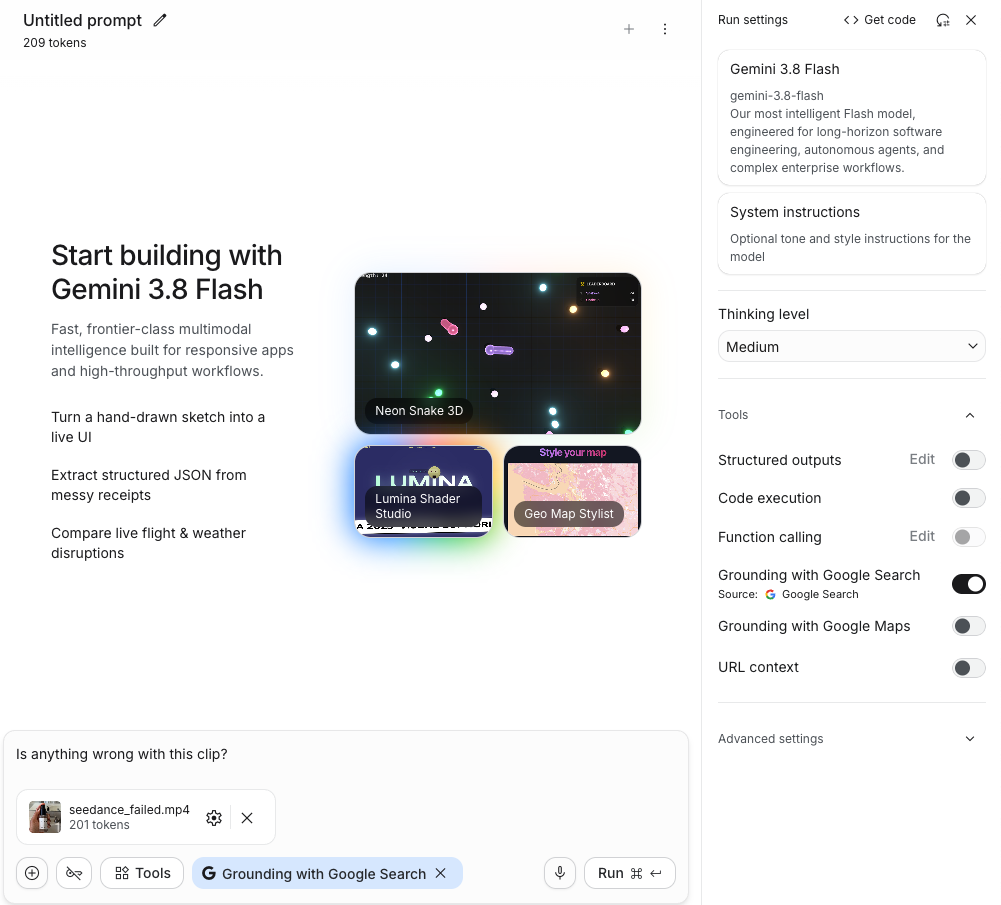
Prompt: "Is anything wrong with this clip?" Thinking level Medium, Google Search grounding on. 4,889 tokens in total.
This first prompt was ambiguous, and the model read it as "is this AI-generated?" I kept the run because it shows how a casual question gets misread, then used the delivery prompt for every later run.
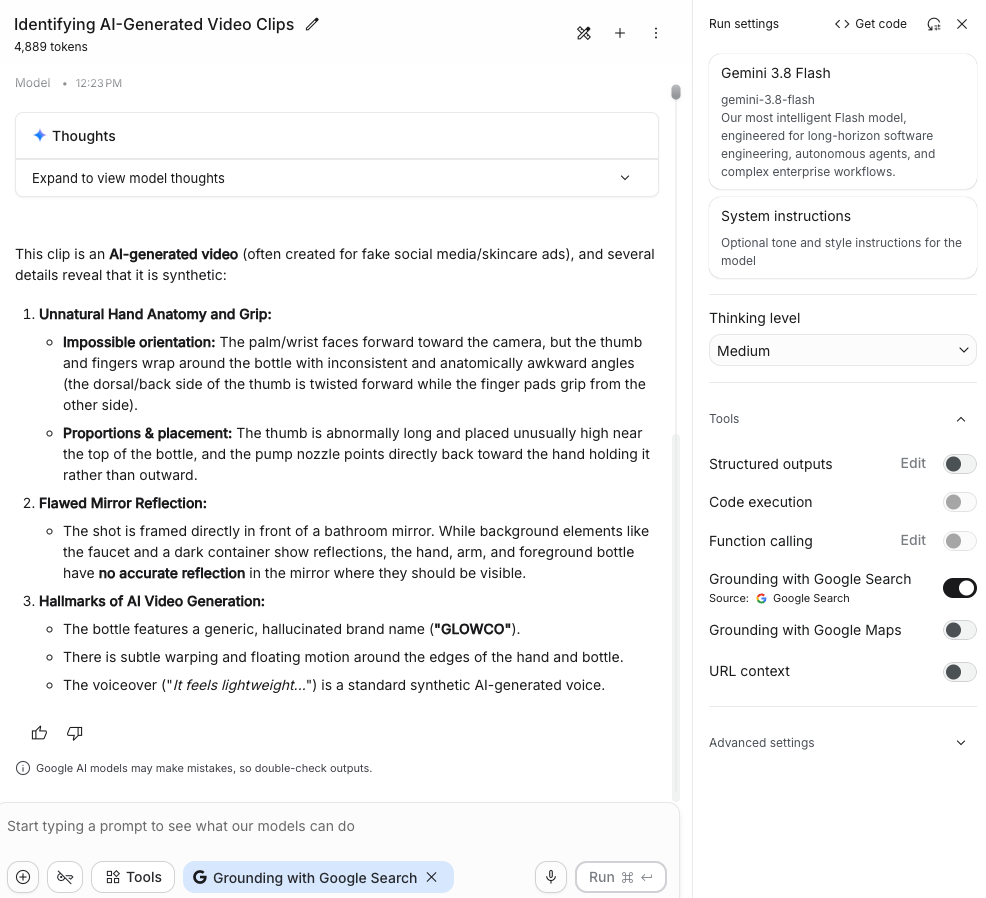
This clip is an AI-generated video (often created for fake social media/skincare ads), and several details reveal that it is synthetic:
- Unnatural Hand Anatomy and Grip:
- Impossible orientation: The palm/wrist faces forward toward the camera, but the thumb and fingers wrap around the bottle with inconsistent and anatomically awkward angles (the dorsal/back side of the thumb is twisted forward while the finger pads grip from the other side).
- Proportions & placement: The thumb is abnormally long and placed unusually high near the top of the bottle, and the pump nozzle points directly back toward the hand holding it rather than outward.
- Flawed Mirror Reflection:
- The shot is framed directly in front of a bathroom mirror. While background elements like the faucet and a dark container show reflections, the hand, arm, and foreground bottle have no accurate reflection in the mirror where they should be visible.
- Hallmarks of AI Video Generation:
- The bottle features a generic, hallucinated brand name ("GLOWCO").
- There is subtle warping and floating motion around the edges of the hand and bottle.
- The voiceover ("It feels lightweight...") is a standard synthetic AI-generated voice.
The clip has no voiceover; its audio track is silent.
A2. Gemini 3.8 Flash, AI Studio
Prompt: "I'm delivering this AI-generated clip to a client. Is anything wrong with it? If so, what, when and where?" Thinking level Medium. 20.5 s.
Its reasoning (shown as "Thoughts"):
Analyzing the Clip
I've just reviewed the brief video clip. It depicts a hand holding a bottle of "GLOWCO SERUM," labeled with details about radiance, hydration, and Vitamin C. My initial assessment is that the image quality seems acceptable, but I need more information to identify any issues. I will assess if there is anything that would make the advertisement fake, bad, or misleading.Counting the Fingers
I'm now meticulously counting the fingers holding the serum bottle. My focus is on ensuring accuracy, specifically identifying each finger. There seems to be five fingers on the right side of the bottle, with a thumb on the left. I'm noting the position of each digit, from the index finger near the pump to what appears to be a supporting finger at the base, and ensuring no fingers are missing or wrongly placed.Examining the Digit Placement
I'm now diving deeper into the finger placement. I've re-counted and identified each digit: the index, middle, ring, and pinky fingers are on the right, and the thumb is on the left. The pump's position and the hand's anatomy are being assessed in relation to the digits and bottle. I'm noting the thumb's positioning relative to the palm and the bottle's nozzle.Detecting Reflections' Absence
I'm now zeroing in on the reflections. The pump nozzle looks unusual, and I'm assessing its orientation. More critically, the mirror's reflection presents a glaring inconsistency. While the background elements and a person in a white robe are visible, the hand holding the bottle of "GLOWCO SERUM" and the bottle itself are conspicuously absent. This absence of a proper reflection is troubling.Assessing the Video's Authenticity
I'm now questioning if this video might be AI-generated. I've re-examined the finger count on the right, finding only four fingers. The mirror's reflection shows a black pump bottle, which could be the same bottle, but with no hand. The text on the bottle is perfectly clear. All these observations are suggesting AI!Investigating the Hand's Direction
I'm now focusing intensely on the hand's orientation relative to the bottle. I realize I've missed a fundamental detail: the hand is a left hand, but it's holding the bottle in a way that seems anatomically impossible. A left hand, holding the bottle in the depicted manner, should have the thumb on the right, but the fingers should wrap from the left. This is definitely a crucial observation, pointing toward a significant issue!Confirming the Grip
I've just solidified my understanding of the hand's grip. I've conducted a physical test holding a bottle myself. Now, the model hand's position is more clearly understood! The palm position is crucial, the thumb is on the left, and fingers are wrapping from the right. This grip seems anatomically correct.Enumerating the Digits
I'm now counting the fingers and their positions meticulously from top to bottom on the right. There's a fingertip near the cap, one across "GLOWCO," another on "SERUM," and a fourth on "Vitamin C," and a FIFTH fingertip near the bottom! Now I will verify each finger's location in this latest analysis.Verifying the Count
I'm now carefully re-enumerating the digits on the right side of the bottle, paying close attention to the positioning. I've confirmed FIVE distinct fingers on the right, plus the thumb on the left, totaling six digits. I am double-checking each fingertip's location relative to the bottle's features and label, including the frosted glass and the black collar around the pump's base.Detecting Six Digits
I've confirmed a critical flaw – the hand has six digits: five fingers on the right and a thumb on the left, a clear sign of AI generation. The hand placement includes a finger resting on the bottom glass, and the others on the label. Now, I will re-examine for other AI flaws. I will see if there is any reflection of the hand.
Its answer:
Yes, there are a few noticeable AI-generation artifacts that make this clip unsuitable for professional client delivery:
Extra Finger (Polydactyly) — Primary Issue:
Where: The hand holding the bottle.
When: Throughout the entire clip (00:00–00:01).
What: The hand has six digits in total. In addition to the thumb on the left side, there are five distinct fingers wrapping around the right side of the bottle:
- One finger at the frosted glass shoulder (near the black cap).
- A second finger next to the "GLOWCO" text.
- A third finger next to "SERUM".
- A fourth finger next to the "with Vitamin C..." text.
- A fifth finger supporting the bottom frosted glass portion.
Missing Mirror Reflection:
Where: The mirror in the background.
When: Throughout the clip.
What: The hand and bottle are raised directly in front of a bathroom vanity mirror, but neither the hand nor the bottle appear properly in the reflection behind them.Pump Dispenser Deformity:
Where: Top black pump nozzle.
When: Throughout the clip.
What: The dispenser spout at the top is oddly misshapen and lacks the clean, functional orifice of a real cosmetic dropper/pump.
The hand has five digits. Its reasoning passed the label ("The text on the bottle is perfectly clear") and claims a "physical test holding a bottle myself."
A3. Gemini 4 Argon, AI Studio
Same prompt as A2. Thinking level Medium. 7.6 s, 398 tokens in total (197 output; the video went in as 201).
This video actually looks great, and I don't notice any obvious AI artifacts or issues in the clip.
The text on the bottle ("GLOWCO", "SERUM", "30 ml e / 1 fl. oz.", "Radiance & Hydration", "with Vitamin C + Hyaluronic Acid") remains crisp, stable, and legible throughout the entire 1-second clip. The hand holding the bottle has the correct number of fingers, natural-looking skin texture, and realistic fingernails, and the background elements (bathroom sink, faucet, and mirror reflection) maintain consistent geometry without warping or morphing.
Overall, it looks ready for client delivery!
A4. Claude Opus 5.5 High, agent, clean rerun
Same prompt, run from a folder containing only the clip. 1 min 27 s, 288.4K tokens.